Bidirectional HealthKit Integration
GymViz reads: body weight, heart rate, and active calories burned. It writes back: body weight entries, calorie expenditure, and after every training session an automatic workout sample with calorie and heart rate data.
Body Weight Tracking with Weekly Trends
Track your body weight over weeks and months. The app automatically calculates weekly averages, shows weight trends, and displays changes at a glance. Weight history syncs automatically with Apple Health – in both directions.
Heart Rate Tracking: Real-Time on Watch + Analysis
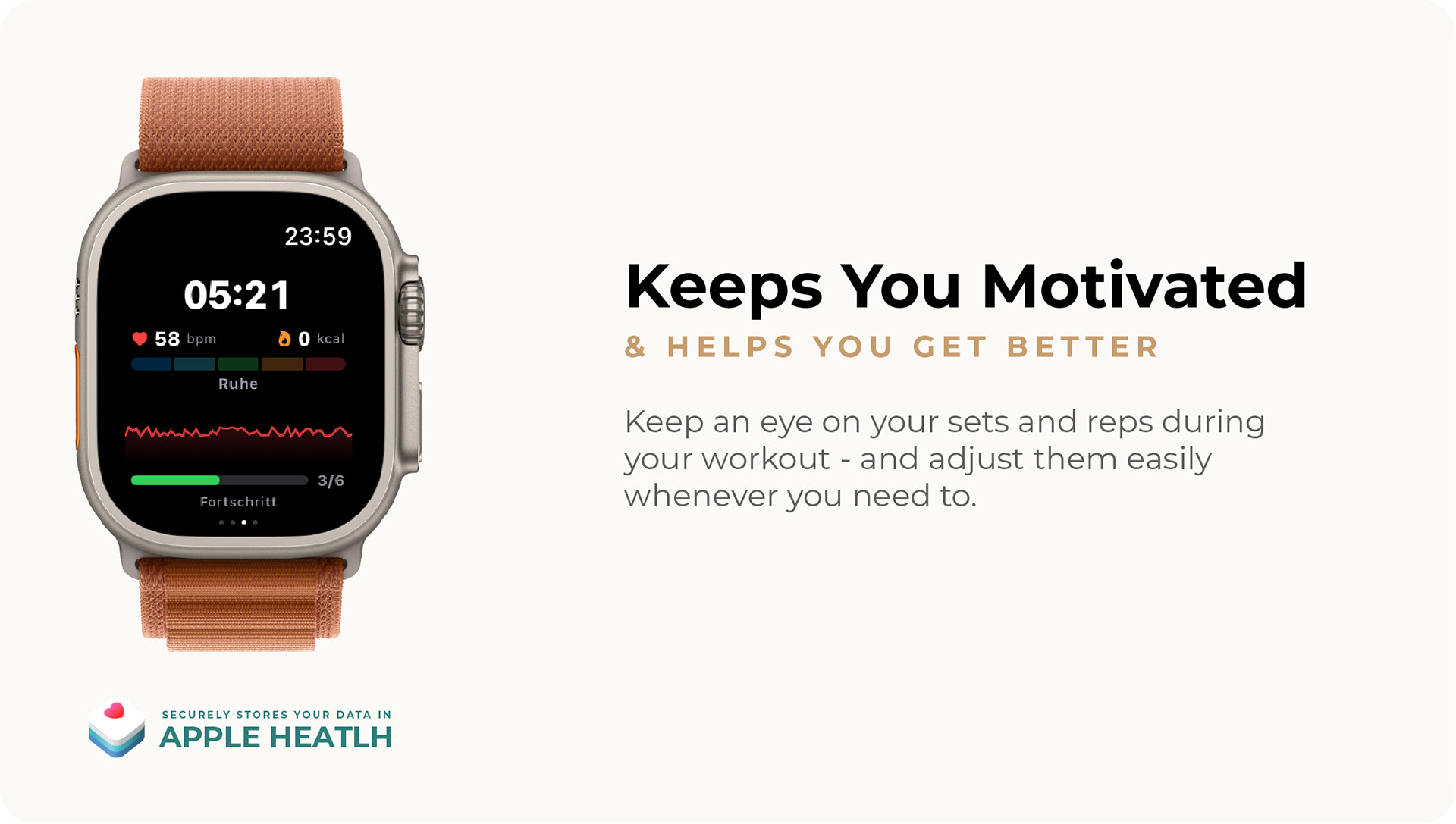
On Apple Watch, GymViz shows real-time heart rate during training. After every workout, average and maximum heart rate per session are recorded. In deep analysis, heart rate trends over weeks and months are available.
Calorie Burn: Total and Per Workout
The app tracks calorie burn both in total and broken down per workout session. In the analysis, you'll find calorie efficiency (kcal/min) and calorie trends over time.
Optional – The App Works Fully Without HealthKit
The integration can be toggled on and off in settings. HealthKit permission is only requested upon activation. Without HealthKit, the app works fully – health data is an optional extra.
Interactive Body Silhouette in Front and Back View
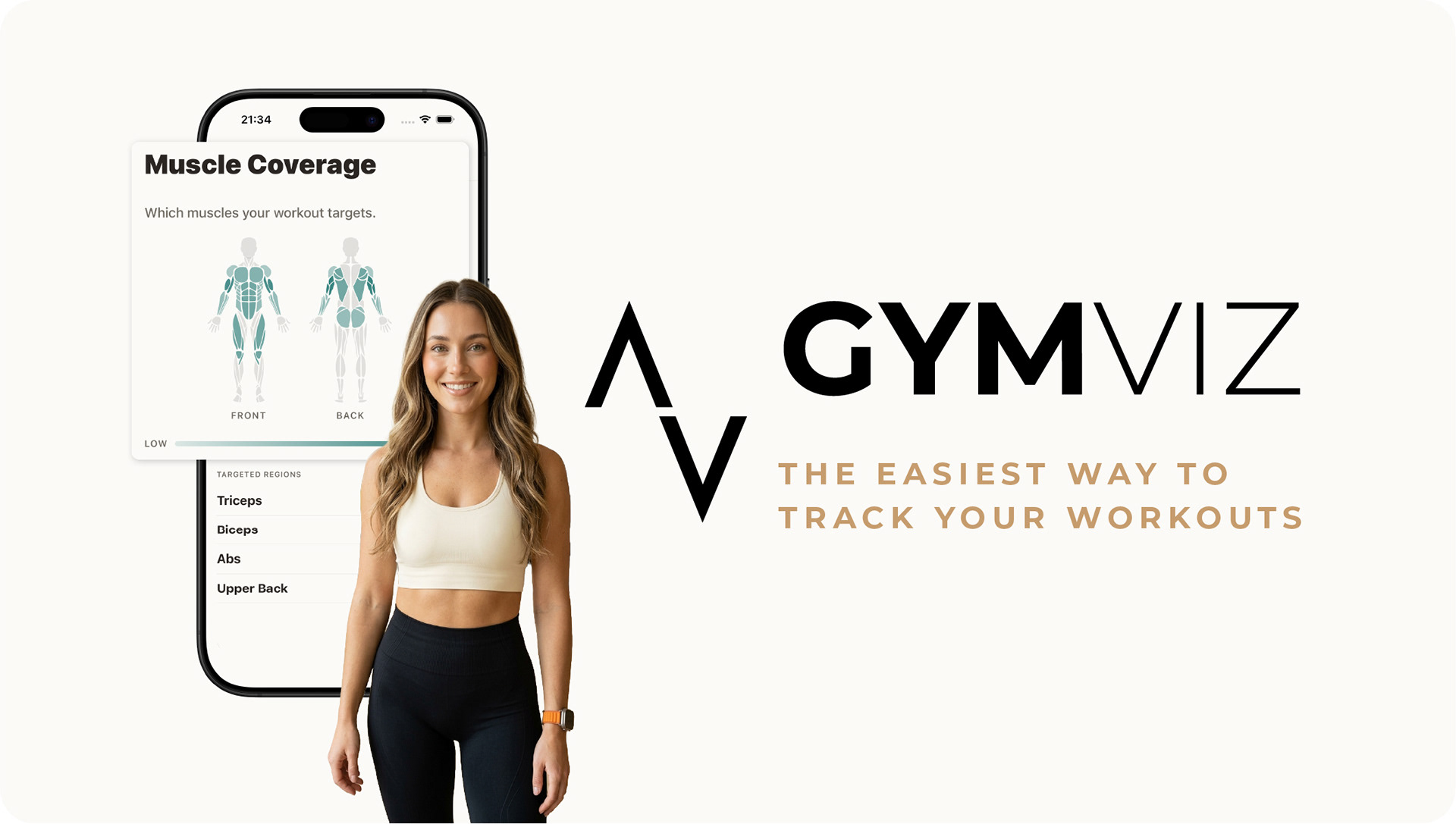
The body heatmap displays a detailed body silhouette with front and back view. Warm colors (red, orange) indicate high training volume, cool colors (blue, green) lower volume. You immediately see which areas are intensely trained and where potential lies.
13 Body Regions for Precise Muscle Tracking
Front: chest, biceps, abs, quadriceps, shoulders, forearms, calves. Back: trapezius, upper back, lower back, triceps, glutes, hamstrings. Each region is individually tracked and displayed in the heatmap.
Muscle Group Volume Distribution
Complementing the heatmap, the muscle group analysis shows volume distribution as a pie chart and bar chart. You see in percentages which muscle groups receive the largest share of your training volume.
Muscle Group Frequency and Trends
How often do you train each muscle group per week? The frequency analysis shows you. With trends over time, you recognize whether your training focus is shifting – and whether that's intentional.
Body Heatmap in Dashboard and Workout Builder
The heatmap appears as a dashboard card – your visual training overview every time you open the app. In the workout builder, the app uses the heatmap for coverage control: you see before a new workout which muscle groups need attention. A unique feature that barely any other fitness app offers.
Multi-Step Workout Plan Builder
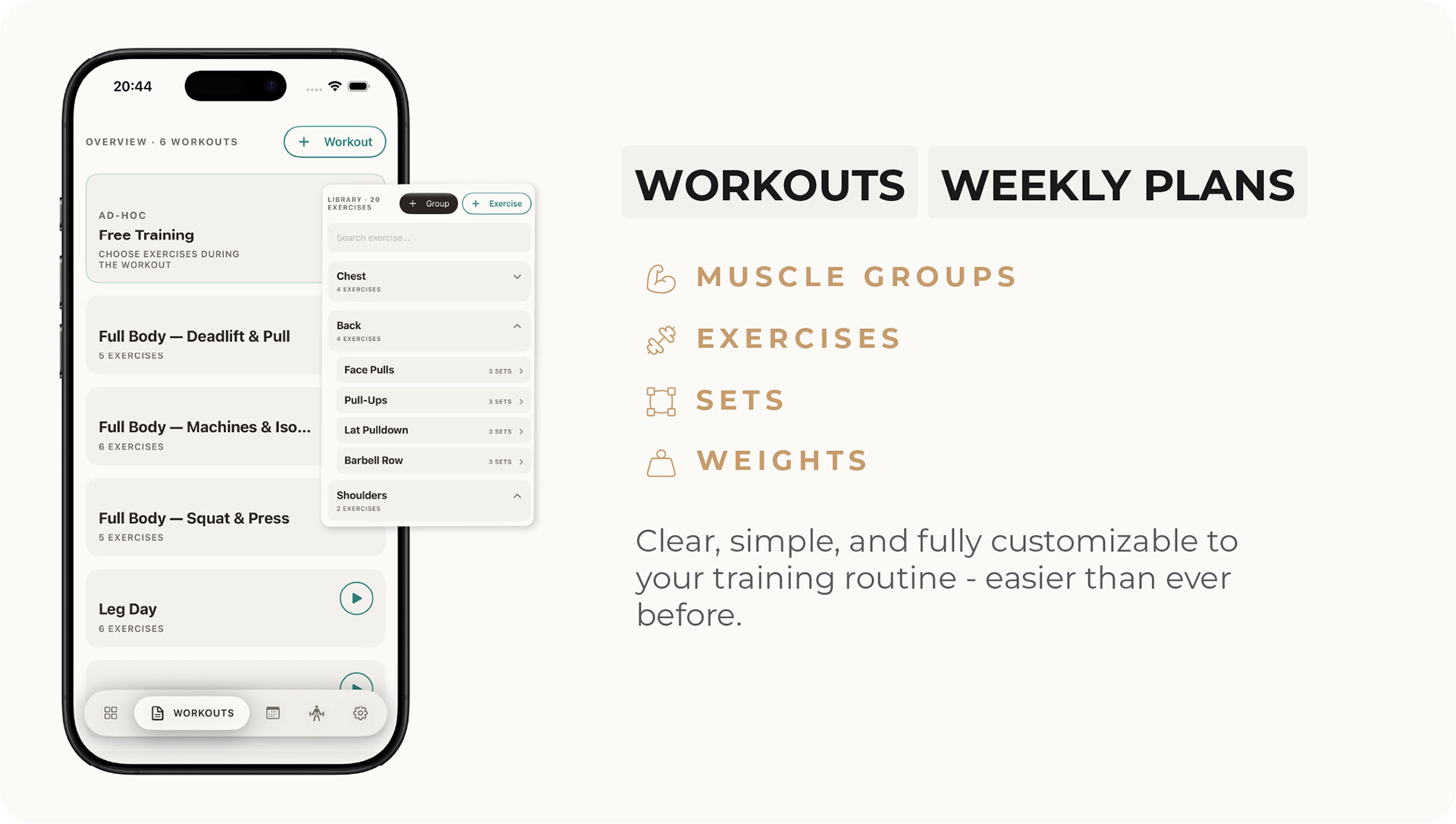
The intelligent training plan builder guides you step by step: set name and estimated duration, select exercises, visually check muscle group coverage, and sort the order via drag-and-drop. Within each workout, set configuration per exercise can be individually adjusted – independent of the exercise's default values.
Visual Muscle Group Control for Balanced Plans
During creation, the builder visually shows which muscle groups are covered. You immediately see whether your training plan is balanced or whether certain body regions receive too little attention.
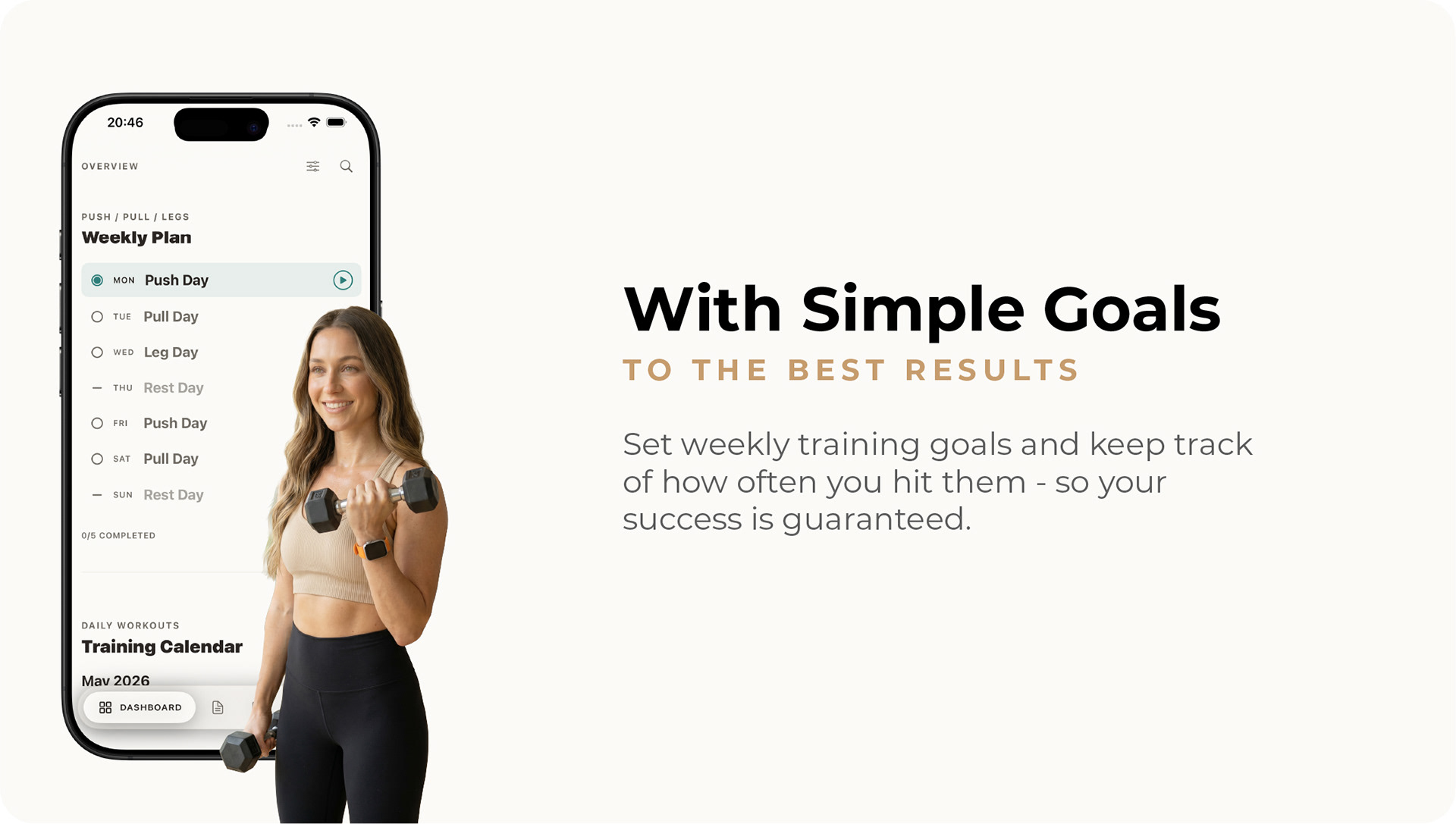
Flexible 7-Day Weekly Plan with Rest Days
Your weekly plan spans 7 days. Each day can be assigned a specific workout or marked as a rest day. Only one plan can be active at a time, but switching between different plans is possible anytime.
The active plan is displayed on the dashboard with daily status: open, completed, missed, or rest day. From there, you can start a workout directly.
Calendar Export for Your iPhone
Export your training plan directly to your iOS calendar via iCalendar export (EventKit). Select the target calendar and start date – so you have your training days right in your everyday calendar and never miss a workout.

Professional Real-Time Tracking During Your Workout
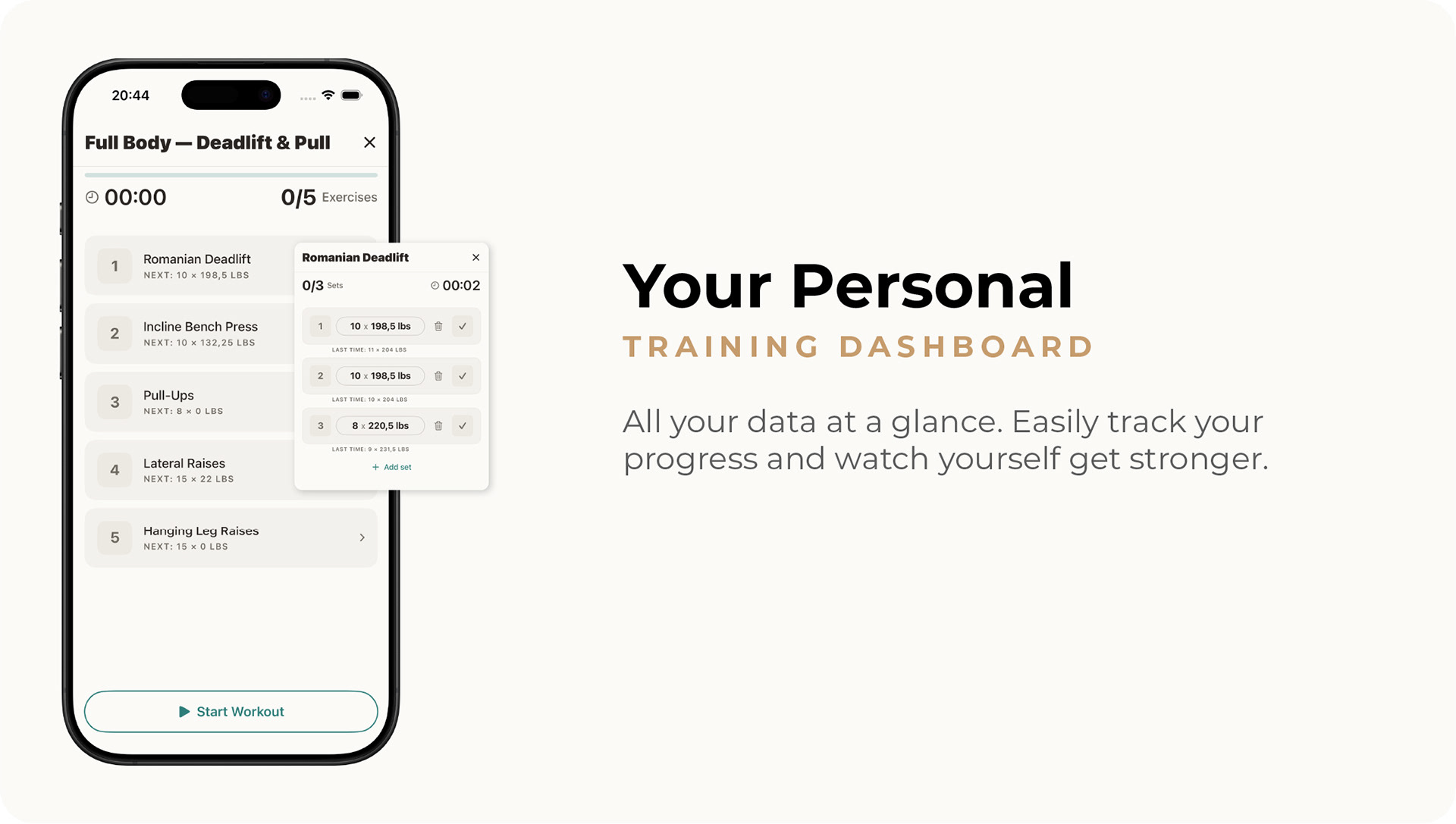
The GymViz documents your training set by set in real time. Enter your reps and weight after each set – the gym tracker automatically saves your performance. Real-time training monitoring shows you a live progress display of how many sets you've already completed. With the intelligent set tracker, you always see your last performance for this set. The GymViz shows what you achieved last time – perfect as a reference for today's training.
Intelligent Dual Timer for Your Training Breaks
The professional rest timer offers two independent timer modes: one for breaks between sets (15–300 seconds) and one for recovery periods between exercises (15–600 seconds). The full-screen countdown shows a circular timer with haptic feedback. Skip, add 30 seconds, or stop – the GymViz responds instantly. The gym tracker keeps running even if you briefly open another app (background recovery).
Automatic Training Summary After Every Workout
After each workout, the tracker shows you a completion screen with your training metrics: total duration, total volume, completed sets, and calories burned (with HealthKit integration). Every training session is fully documented and, when HealthKit integration is enabled, automatically written as a workout sample to Apple Health.
Retroactive Entries and Session Editing
Past workouts can be manually entered retroactively at any time. Select the date, choose a workout template, and enter your sets exercise by exercise. Already completed sessions can be edited and corrected whenever needed.
Display Stays On During Training
The intelligent GymViz keeps your iPhone display active throughout the entire training session (idle lock disabled). All set tracking data is always visible – no constant tapping needed.
Custom Exercises for Your Personal Training System
With the intuitive exercise database, you define your own exercises from scratch. Give the exercise a name, select the muscle group, and set default reps and default weights. Each exercise is created with configurable default sets that are automatically applied later in the workout builder.
Default Muscle Group Generator for Quick Setup
The intelligent generator creates 8 predefined muscle groups with one click: back, chest, shoulders, legs, abs, biceps, triceps, and forearms. Use these as a foundation and customize them later as needed.
13 Body Regions for Detailed Exercise Analysis
Your exercise database uses 13 detailed body regions – front and back views for complete coverage. Front: chest, biceps, abs, quadriceps, shoulders, forearms, calves. Back: trapezius, upper back, lower back, triceps, glutes, hamstrings. Each exercise is assigned to the exact body area.
Use Your Exercises in Heatmaps and Training Analysis
Every exercise contributes to your body heatmap and muscle group analysis. The app tracks which muscle groups you're training and visualizes this automatically. Build your exercise database carefully and benefit from precise, personalized training tracking.
Weekly Training Goal with Progress Display
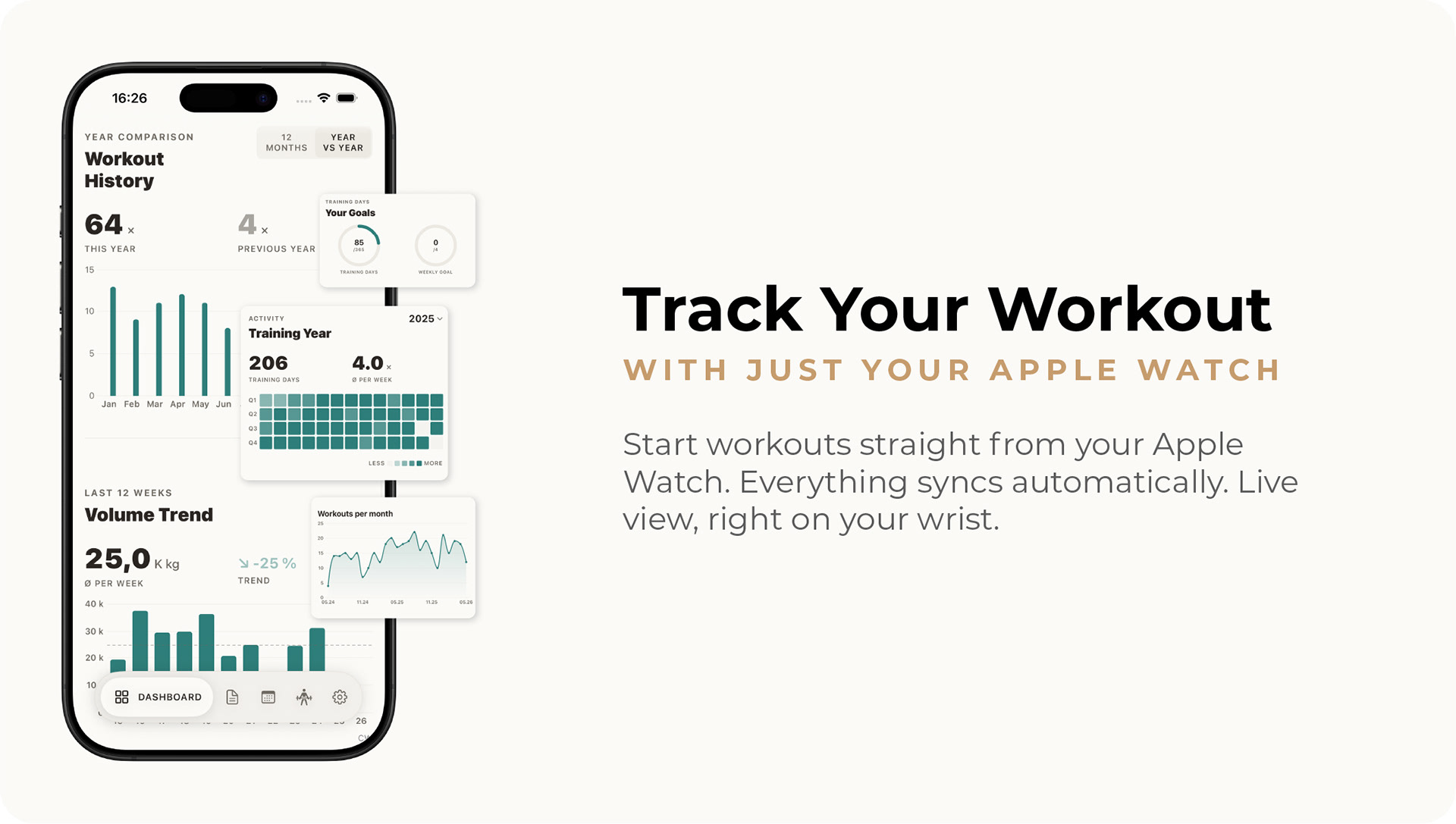
Set your weekly training goal (1–7 days) and track your progress in real time. The goals card on the dashboard visualizes your weekly target with a progress display and offers a yearly overview of all completed training days.
Training Calendar with Color Marking
The training calendar provides a calendar view of your training history. Color marking of completed days shows you at a glance your training streaks and consistency.
Training Activity and 30-Day Consistency
The activity card analyzes time-of-day patterns and consistency metrics over the last 30 days. Training activity shows the current week's frequency and motivates you to stay on track.
Week Comparison and Personal Records
The week comparison puts the current week against the previous week in volume, duration, and workout count. Personal bests show your top weights per exercise – your strength progress at a glance.
Training Plan Adherence: Planned vs. Actual
The adherence analysis compares planned and actual training sessions. The adherence rate in percent shows how well you're following your weekly plan – and where you can improve.
7 Independent Watch Views for Complete Training
The Apple Watch app offers 7 specialized views: Home View, Active Workout, Exercise Page, Set Editor, Rest Timer, Workout List, and Workout Summary. Each view focuses on a specific training task. The context-aware Home View automatically decides what to display: workout list when no training is active, active workout during a session, summary after completion.
4-Tab Interface with Digital Crown Navigation
The active workout uses a 4-tab interface: controls, exercise list with expandable sets, real-time dashboard, and Now Playing view for music control. Use the Digital Crown to adjust weight and reps directly on your wrist – perfectly optimized for training without a touchscreen.
Real-Time Heart Rate with 6 Training Zones
The Watch reads real-time heart rate during training via its own HealthKit Manager. 6 heart rate zones (rest, warm-up, fat burn, aerobic, anaerobic, maximum) show you whether you're training at the right intensity.
Bidirectional Sync with Automatic Deduplication
Training plans are automatically transferred from iPhone, completed workouts flow back to the iPhone database. Automatic deduplication prevents duplicate imports during multi-channel synchronization. The gym tracker works fully offline on the Watch.
Complication and Haptic Feedback
A watch face complication shows the next scheduled workout – start your training with a single tap. The WatchHapticManager provides haptic feedback on timer expiration and set confirmation. After training, the summary shows duration, calories, and heart rate.
20 Accent Colors in 4 Categories
Choose from 20 carefully selected accent colors in four categories: Electric (energetic), Vivid (vibrant), Cool (sleek), and Calm (serene). Each color changes the entire app color scheme in real time – on iPhone and Apple Watch.
Fully Configurable Dashboard with 16 Cards
Your dashboard consists of 16 individually configurable cards. Sort them via drag-and-drop according to your priorities, show or hide individual cards. Reset everything to the default configuration if needed. The configuration syncs via CloudKit.
Profile, Rest Times & Step Onboarding
Set your profile photo via PhotosUI integration and your name. Rest times between sets and exercises are independently configurable. A onboarding flow guides new users through initial setup: name, weekly goal, accent color, body weight, HealthKit permission, and app tour.
iCloud Sync Without External Servers
With iCloud synchronization via CloudKit, all training data is automatically available across all Apple devices. A three-tier storage hierarchy (CloudKit → local → in-memory) ensures the app works fully without an iCloud account. No account needed, no external servers.
CSV Export of Your Training Data
Export your complete training history, body weight data, and exercises as CSV files. Ideal for external analysis in Excel, Google Sheets, or other tools.
Your Custom Fitness Dashboard with Complete Training Overview
The GymViz dashboard is your personal fitness hub on iPhone. Choose from 16 different dashboard cards to display exactly what matters to you. Whether it's the training calendar, workout statistics, or muscle group overview – your fitness dashboard shows only what counts. With the intelligent dashboard system, you get a complete training overview on your home screen. Cards display your weekly activity, personal records, and training goals in an intuitive layout.
16 Customizable Training Cards for Your Ideal Fitness Dashboard
GymViz gives you maximum flexibility for your training dashboard. The 16 available cards include: weekly plan, training calendar, weekly activity, workout statistics, recent workouts, personal records, training goals, activity overview, muscle group chart, workout comparison, volume trend, week comparison, body weight, duration distribution, body heatmap, and health overview. Arrange your fitness dashboard via drag-and-drop – no technical skills needed. Simply drag training cards to the right position and personalize your dashboard in seconds.
Quick Start with the Setup Checklist
New users receive an intelligent setup checklist that guides you step by step through configuring your fitness dashboard. The training overview is set up in minutes so you can start your workout program right away. From your first muscle groups to your first workout – the training planner guides you safely through setting up your personal fitness dashboard.
Start Workouts Directly from Your Fitness Dashboard
With quick-start workouts, you launch your training with a single tap from the dashboard. The intelligent training dashboard shows you fast access to your workouts. No cumbersome menus – just the workout program you need.
Detailed Training Statistics in Your Fitness Dashboard
Your training dashboard shows you the most important statistics at a glance. Weekly activity, volume trends, and workout comparisons help you identify training progress and optimize your workouts. With the body heatmap and muscle group chart, you see exactly which muscle groups you're training. Training statistics motivate you to achieve better results.
Volume & Strength
Volume trends as bar and line charts with average line, 1RM estimation based on the Epley formula, weight progression per exercise over time, and volume broken down by workout type.
Frequency & Consistency
Training frequency per week with volume overlay, training plan adherence (planned vs. actual), adherence rate in percent, rest day pattern analysis, and average rest time between sets.
Health Analytics
Calorie trend, heart rate trend with average and maximum values, calorie efficiency in kcal/min, dual-axis display of calories against workout count, and health metrics broken down by workout type.
Body & Weight
Body weight progression with trend calculation, muscle group volume distribution as pie or bar chart, and muscle group frequency over time.
Flexible Time Ranges and Intelligent Auto-Grouping
5 predefined time ranges (4 weeks, 6 months, 12 months, 24 months, all time) plus freely selectable range via date picker. Data points group automatically: up to 14 days daily, up to 90 days weekly, up to 745 days monthly, and beyond that yearly. All analyses are filterable by muscle group, exercise, or workout.