GPS Recording with a Live Cockpit
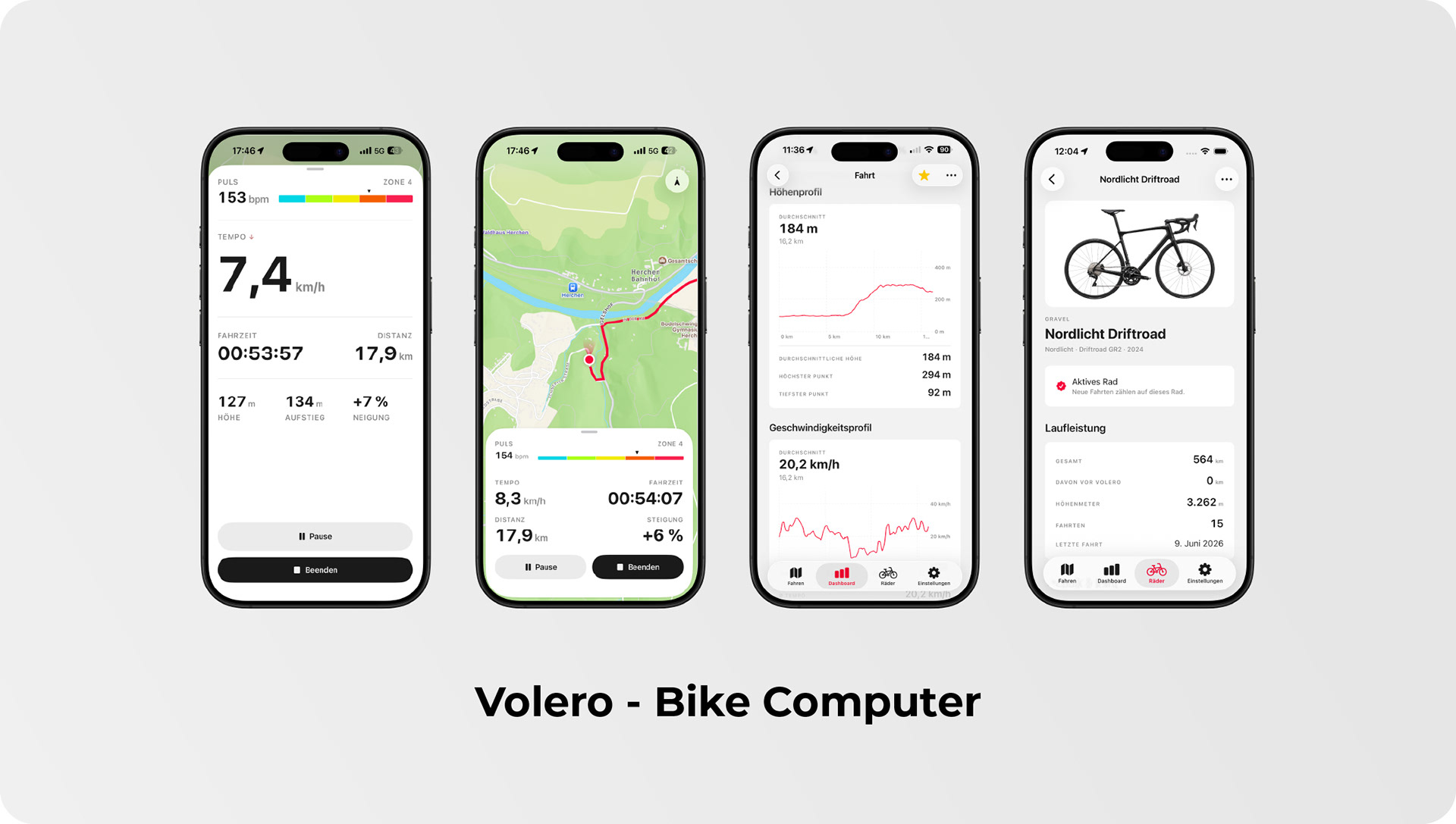
Volero captures every ride second by second via GPS and presents a live cockpit showing speed, distance, ride time, altitude, and gradient. Speed takes center stage as the dominant metric, displayed large enough to read at a glance on your handlebars even in bright sunlight — because a number you have to squint at is a number you might as well not have. The cockpit offers two detents: a compact view for everyday riding and an expanded layout that adds ascent, altitude, and gradient in a clean row of three, so you decide exactly how much information sits in front of you.
Elevation Gain and Real-Time Gradient Measurement
Elevation gain is calculated with intelligent smoothing, so GPS noise never inflates your statistics with phantom climbing: the meters you see are the meters you actually earned. The live gradient reading in percent comes from your iPhone's motion sensor and can be calibrated to zero once the phone is mounted on your handlebars. From that moment on, the pill shows the true slope of the road rather than the angle of your mount, giving you an honest read on every climb.
Bluetooth Heart Rate Monitoring
Volero connects to standard Bluetooth chest straps and heart rate armbands via the BLE Heart Rate Service, which means your existing sensor will most likely work straight out of the box. Once paired, a sensor reconnects automatically the next time you start the app, so there is no fiddling with menus before a ride. While you ride, your live heart rate and current training zone appear directly in the cockpit, allowing you to manage your intensity in the moment instead of discovering afterwards that you went too hard. The zones are derived from your personal maximum heart rate, which you store once in the settings.
Training Load, Fitness, and Form
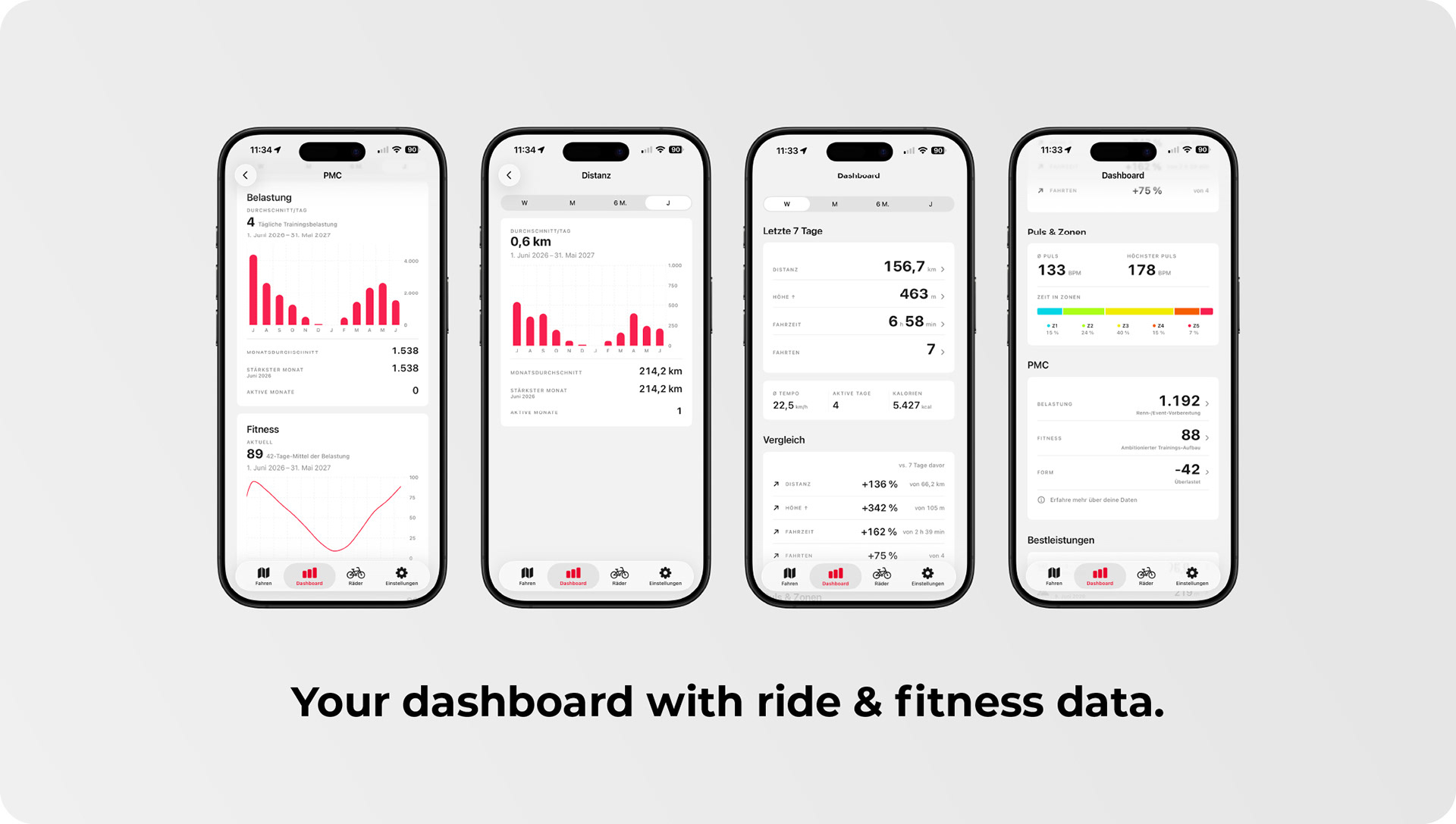
This is where recorded rides become genuine insight. From heart rate and ride time, Volero calculates the training load of every ride using the established Edwards TRIMP model and builds a full performance management chart on top of it: daily load, 42-day fitness, and form, defined as fitness minus acute load. The three charts are stacked in the detail view with a shared period selector, so a single glance tells you whether you are building fitness, hitting peak form, or drifting toward overload. You no longer need to guess how hard the last few weeks really were — you can see it.
Dashboard with Personal Bests and Heatmap
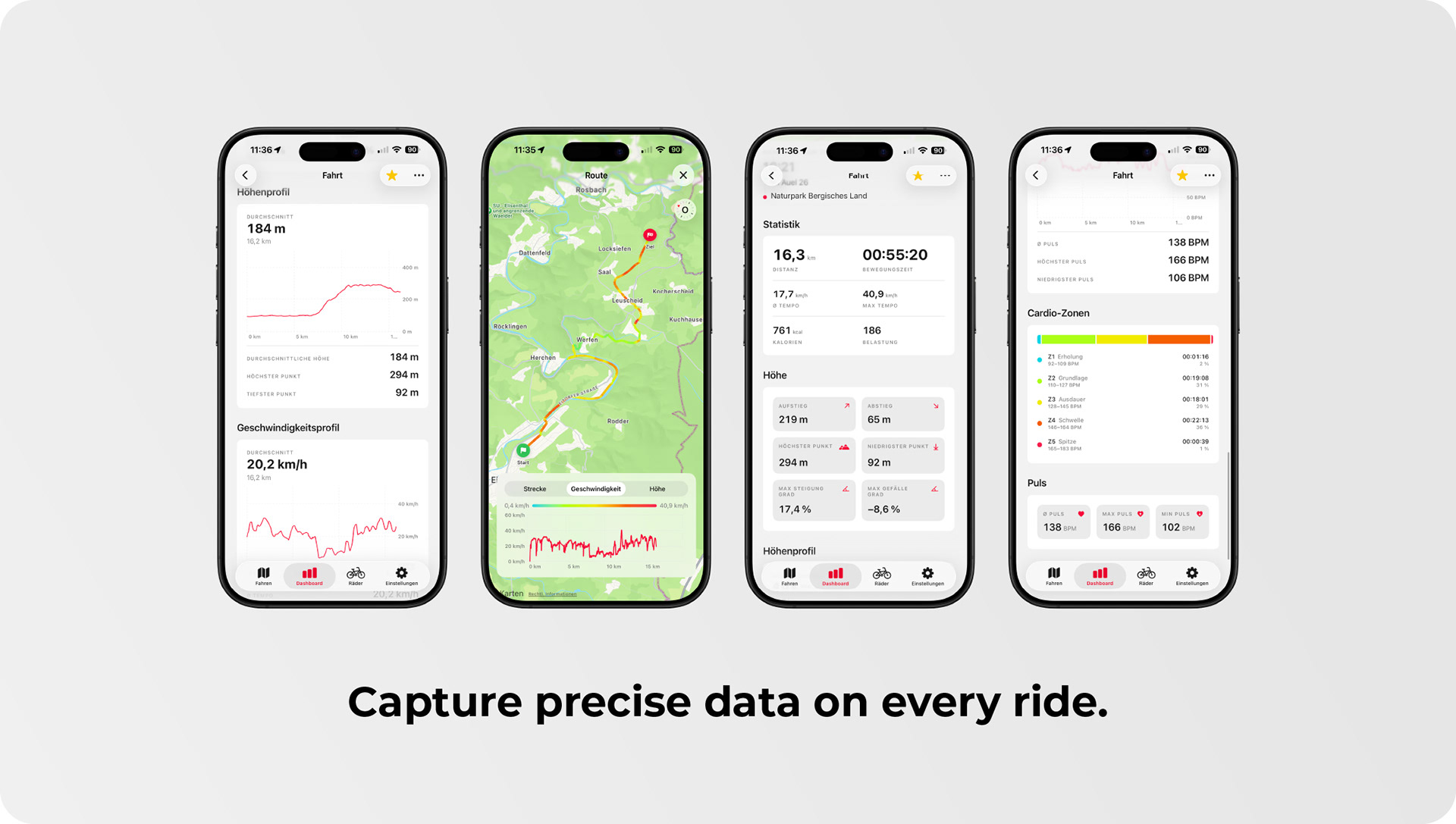
The dashboard condenses your riding into the numbers that matter for the week, month, year, or all time: total distance, elevation gain, ride time, and average speed. A personal bests card highlights your longest ride, biggest climbing total, fastest average speed, highest top speed, and peak heart rate for the selected period, giving you clear benchmarks to measure yourself against. A GitHub-style heatmap shows at a glance on which days you rode and how much, making your consistency — or the gaps in it — immediately visible.
Route Profile and Ride Details
Every ride receives its own detail view with a map, an elevation profile, and a route silhouette. The profile chart supports scrubbing: tap any point and the map jumps to the corresponding spot on the route, displaying your speed and altitude at exactly that kilometer. It is the perfect way to relive a favorite climb or pinpoint where the pace fell apart. Maximum gradient and maximum descent are reported separately, so you know precisely how demanding a route really was.
Maps in Multiple Styles
You choose between a light and a dark map style, or simply follow the system appearance. While you ride, the map tracks your position and rotates with your direction of travel, keeping the road ahead at the top of the screen at all times. In familiar Apple Maps fashion, a single tap switches between free view, follow mode, and heading mode, giving you full orientation without distraction.
Bikes and Maintenance Planning
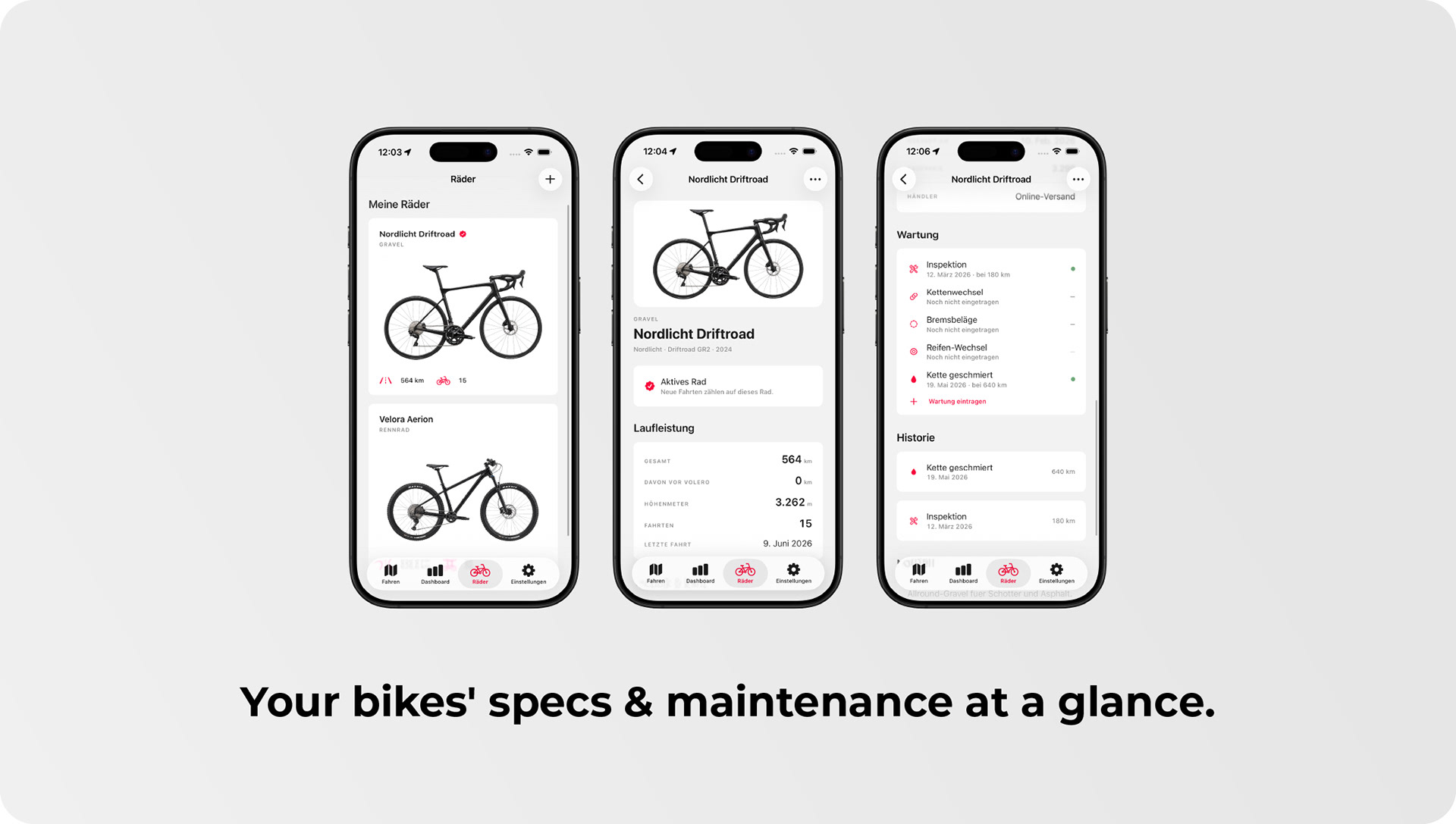
You can add as many bikes as you own, and Volero automatically assigns every ride to the currently active one. For each bike, the app keeps a running odometer and a maintenance log covering inspections, brake and tire changes, chain replacements, brake pads, and the associated costs. The benefit is simple: you know when the chain is actually due based on real kilometers instead of gut feeling, and over time you build a complete service history for every bike in your stable.
Apple Health Integration
If you choose, Volero exports every completed ride to Apple Health as a cycling workout, including distance, duration, and calories, so your training takes its place in your overall health picture. The calorie calculation factors in speed, average heart rate, body weight, age, and gender from your profile, which produces far more realistic figures than a generic estimate ever could. Volero remains the leading source of your data at all times: Health is a recipient, not a synchronization partner, so nothing in your records gets overwritten or duplicated.
Crash Protection: Resume a Ride After the App Quits
During every recording, Volero writes a backup of the ongoing ride to storage every two minutes. If the system terminates the app or the iPhone restarts, a dialog appears the next time you open Volero, offering a simple choice: continue the ride or save the tour as completed. If you continue, GPS streaming, heart rate, and statistics pick up seamlessly where they left off, so hours in the saddle are never lost to an unexpected shutdown.
Three Sensor Profiles for Battery Control
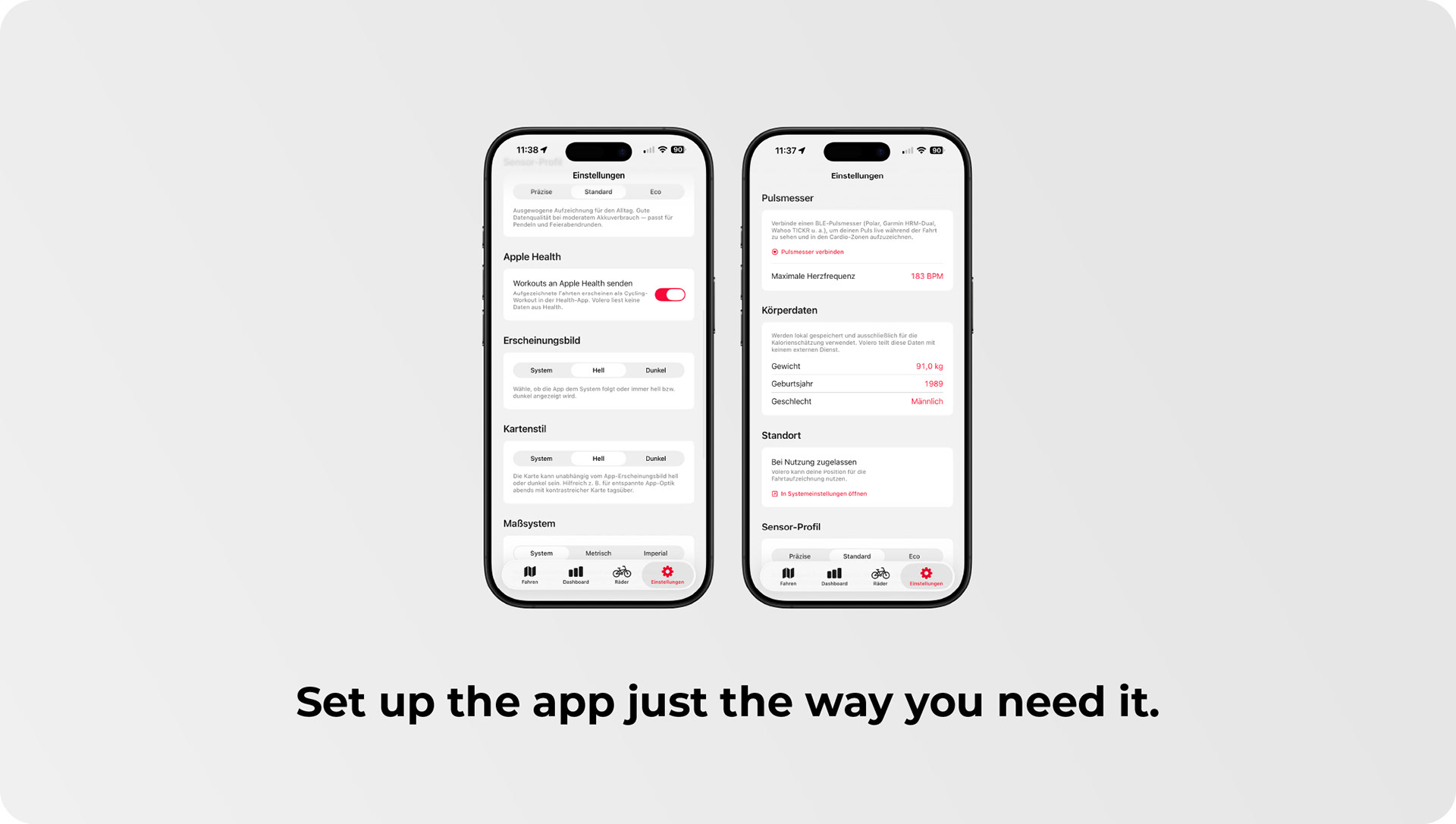
In the settings, you choose between Precise, Standard, and Eco. Precise delivers maximum GPS accuracy for in-depth training analysis, Standard strikes the balance for everyday riding, and Eco lowers the sampling rate and motion filtering so that multi-hour tours don't end with a drained battery. Profiles can even be switched during an active recording, letting you trade precision for endurance — or back again — whenever the ride demands it.
Your Data Stays Yours — Backed Up via iCloud
Volero stores all of your data locally in a SwiftData database on your device. There is no account, no server, and no telemetry, which means your training data never leaves your iPhone unless you decide it should. If iCloud Backup is enabled, iOS automatically includes your Volero data in its nightly backup and restores everything when you set up a new device — complete privacy and genuine peace of mind at the same time.
Units and Languages
Measurement units either follow your system settings or can be set explicitly to metric or imperial. Kilometers and miles, meters and feet, kilograms and pounds are displayed consistently throughout the app, so you always read your data in the units you actually think in. Volero is available in English and German.
Design Language
The interface follows the Liquid Glass aesthetic of iOS 26: legible pills floating above the map and material backgrounds that frame your data instead of competing with it. In dark mode, the cockpit background is deliberately rendered in pure black rather than gray, which feels visually calmer on OLED displays and is noticeably gentler on the battery.